
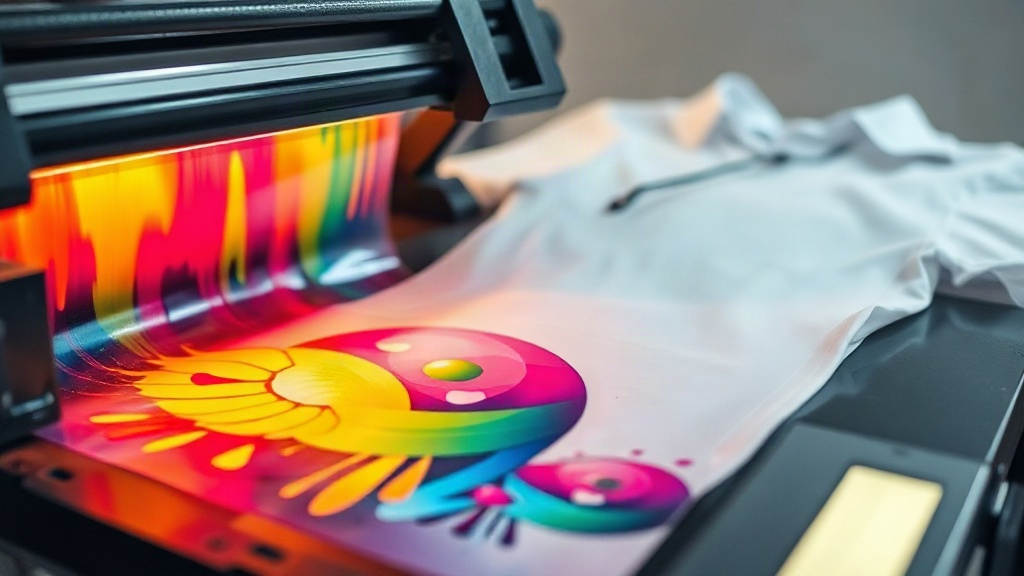
If you've been exploring custom apparel printing, you've likely encountered DTF printing. It stands for Direct to Film, a method that's quickly become a favorite for creating vibrant, detailed designs on various fabrics. Unlike other techniques, DTF offers a unique blend of versatility and durability that appeals to both hobbyists and professionals. In this guide, we'll walk you through everything you need to know about DTF printing, from its core process to practical tips for flawless results. Whether you're a small business owner or a DIY enthusiast, understanding DTF can open up new possibilities for your custom projects.
What Exactly Is DTF Printing?
DTF printing is a digital printing technology where your design is printed onto a special film, coated with a powder adhesive, and then heat-pressed onto the fabric. This process allows for intricate details and a wide color gamut, making it ideal for complex artwork. The key difference from DTG (Direct to Garment) is that DTF doesn't print directly onto the garment; instead, it transfers from a film, which means you can apply it to almost any fabric, including cotton, polyester, blends, and even leather. This flexibility is a game-changer for those who work with diverse materials.
The magic of DTF lies in its simplicity and efficiency. You don't need pre-treatment or specialized inks for different fabrics, which streamlines the workflow. The prints are also known for their stretchability and soft feel, making them comfortable to wear. Plus, DTF transfers can be stored for later use, giving you the freedom to print on demand. This makes it a cost-effective solution for small batches or personalized items.
How DTF Printing Works: Step by Step
Understanding the DTF process helps you appreciate its capabilities and troubleshoot issues. Here's a breakdown of the key steps:
1. Design Preparation
Start with a high-resolution image. DTF printers can handle fine lines and gradients, so ensure your design is at least 300 DPI. Mirror the image horizontally because the film will be flipped when pressed. Most RIP (Raster Image Processor) software for DTF automatically mirrors the image, but always double-check.
2. Printing onto Film
The printer lays down a layer of white ink first (if your design has white areas or will be applied to dark fabrics), followed by the color layers. The white ink acts as a base to make colors pop. The film is coated with a release layer that allows the ink to transfer later. It's crucial to use compatible DTF film and inks to avoid clogs and ensure durability.
3. Powder Application
While the ink is still wet, a thermoplastic powder (often TPU) is sprinkled over the print. This powder adheres to the ink and will become the adhesive that bonds the design to the fabric. Excess powder is shaken off, and the film is then cured in an oven or with a heat gun. Curing melts the powder into a smooth, flexible layer.
4. Heat Pressing
The cured film is placed onto the garment with the design side down. A heat press is used at around 150-160°C (300-320°F) for 10-15 seconds with medium pressure. The powder melts again, fusing the design to the fabric. After pressing, you peel off the film while it's hot (hot peel) or after it cools (cold peel), depending on the film type. The result is a vibrant, wash-resistant print.
Why Choose DTF Printing?
DTF printing offers several advantages that make it stand out:
- Versatility: Works on cotton, polyester, blends, nylon, leather, and more. No need for different inks or pre-treatment.
- Detail and Color: Produces high-resolution prints with smooth gradients and fine details, often surpassing screen printing for complex designs.
- Durability: When applied correctly, DTF prints withstand repeated washing without fading or cracking.
- Cost-Effective for Short Runs: No setup costs like screen printing, making it ideal for one-offs or small batches.
- Stretchability: The prints stretch with the fabric, reducing cracking on stretchy materials.
- Speed: Once set up, you can print and press multiple items quickly.
These benefits have made DTF a popular choice for custom t-shirts, hoodies, tote bags, and even promotional items. It's also great for adding names and numbers to sports jerseys.
DTF vs. Other Printing Methods
How does DTF stack up against DTG, screen printing, and vinyl? Let's compare:
- DTF vs. DTG: DTG prints directly onto fabric, requiring pre-treatment for dark shirts. It works best on 100% cotton. DTF can be used on more fabrics and doesn't need pre-treatment. DTG may have a softer feel, but DTF is more durable on blends.
- DTF vs. Screen Printing: Screen printing is cost-effective for large orders but has setup costs and limited colors per screen. DTF excels for detailed, multi-color designs without setup fees, but screen printing can be faster for huge runs.
- DTF vs. Heat Transfer Vinyl (HTV): HTV is great for simple shapes and letters but not for complex images. DTF handles full-color graphics with ease and offers a softer finish.
Each method has its place, but DTF shines for its versatility and ability to produce intricate designs on various materials.
Getting Started with DTF Printing
Ready to dive into DTF? Here's what you'll need:
- DTF Printer: A dedicated printer with white ink channels. Popular models include those from Epson converted for DTF, or specialized brands.
- DTF Inks: Pigment-based inks designed for DTF, including CMYK and white.
- DTF Film: PET film with a special coating. Available in sheets or rolls.
- Adhesive Powder: TPU powder, usually 80-200 microns.
- Curing Oven or Heat Gun: For melting the powder.
- Heat Press: With accurate temperature and pressure control.
- RIP Software: To manage color profiles and white ink layers.
Start with a quality printer and supplies to avoid frustration. Practice on scrap fabric to dial in your settings. Join online communities for DTF printers to share tips and troubleshoot.
Tips for Perfect DTF Transfers
To achieve professional results, keep these tips in mind:
- Control Moisture: Humidity can affect powder adhesion. Store film and powder in a dry place.
- Even Powder Coating: Too much powder leads to a rough feel; too little causes poor adhesion. Use a powder shaker for consistency.
- Curing Temperature: Follow the powder manufacturer's recommendations. Under-curing causes wash-off; over-curing makes the transfer stiff.
- Pressure and Time: Use medium pressure and press for the recommended time. Too much pressure can cause the design to spread.
- Peel Test: After pressing, try peeling the film. If it resists, let it cool a bit. If it comes off easily but the design lifts, increase pressure or time.
- Wash Inside Out: Advise customers to wash garments inside out in cold water and avoid bleach to prolong print life.
With practice, you'll develop a feel for the process and can consistently produce high-quality DTF transfers.
Common Challenges and Solutions
Even experienced DTF printers face issues. Here are some common problems and how to fix them:
- Clogged Printhead: Regular maintenance and cleaning cycles are essential. Use a humidifier if your environment is dry.
- Faded Colors After Wash: This usually indicates under-curing of the powder or insufficient pressure during pressing. Recalibrate your heat press.
- Sticky or Tacky Prints: Over-powdering or under-curing can cause this. Reduce powder and ensure proper curing.
- Film Not Peeling Cleanly: If the film tears or leaves residue, it might be due to insufficient cooling (for cold peel) or too much pressure. Adjust accordingly.
- White Ink Issues: White ink can settle; shake cartridges well. Also, ensure your RIP settings are correct for white layer generation.
Don't get discouraged; troubleshooting is part of the learning curve.
Applications of DTF Printing
DTF printing is incredibly versatile. Here are some popular applications:
- Custom T-Shirts: Perfect for detailed graphics, photos, and text.
- Hoodies and Sweatshirts: Works well on cotton-poly blends.
- Sportswear: Stretchy transfers move with the fabric.
- Tote Bags and Accessories: Add designs to canvas, denim, and more.
- Uniforms and Workwear: Durable for industrial laundering.
- Promotional Items: Quick turnaround for events.
If you can heat press it, you can likely DTF it.
Frequently Asked Questions
What fabrics can I use with DTF printing?
DTF transfers adhere to a wide range of fabrics, including cotton, polyester, cotton-poly blends, nylon, leather, and even some treated materials. It's not recommended for fabrics with a heavy silicone coating or those that can't withstand heat press temperatures.
How long do DTF prints last?
When properly applied and cared for, DTF prints can last as long as the garment itself. They resist cracking, fading, and peeling through many washes. Following wash instructions (inside out, cold water, no bleach) will maximize longevity.
Do I need special equipment for DTF printing?
Yes, you need a DTF printer (or a converted printer), DTF inks, film, adhesive powder, a curing oven or heat gun, and a heat press. A RIP software is also recommended for color management and white ink control.
Is DTF printing cost-effective for small businesses?
Absolutely. DTF has low startup costs compared to screen printing and no minimum order requirements. It's ideal for small businesses, crafters, and anyone doing short runs or personalized items.
Can I print white ink with DTF?
Yes, DTF printers use white ink as a base layer to make colors vibrant on dark fabrics. The white ink is printed first, followed by CMYK. Proper maintenance is key to prevent white ink clogs.
Final Thoughts
DTF printing is a powerful tool for anyone in the custom apparel industry. Its ability to produce detailed, durable prints on almost any fabric makes it a versatile choice. While there's a learning curve, the investment in equipment and practice pays off with stunning results. Whether you're adding a new service to your print shop or starting a side hustle, DTF is worth exploring. Remember to source quality supplies, follow best practices, and stay patient as you master the process. With DTF, the only limit is your imagination.